
 English
 Bengali
BJ77 COM Login — Your Smooth Route Back Into the Action
Maybe you found BJ77 COM while checking cricket odds, maybe a friend mentioned it during a BPL betting chat, and now you simply want to know the cleanest way to sign in without tapping around in circles.
The good news: once your account is ready, login normally takes around ten seconds, and creating a fresh profile is still a short phone-based process. Here is the practical Bangladesh-focused walkthrough I would give someone before they deposit even ৳ 1.
🔑 How to Log In to BJ77 COM
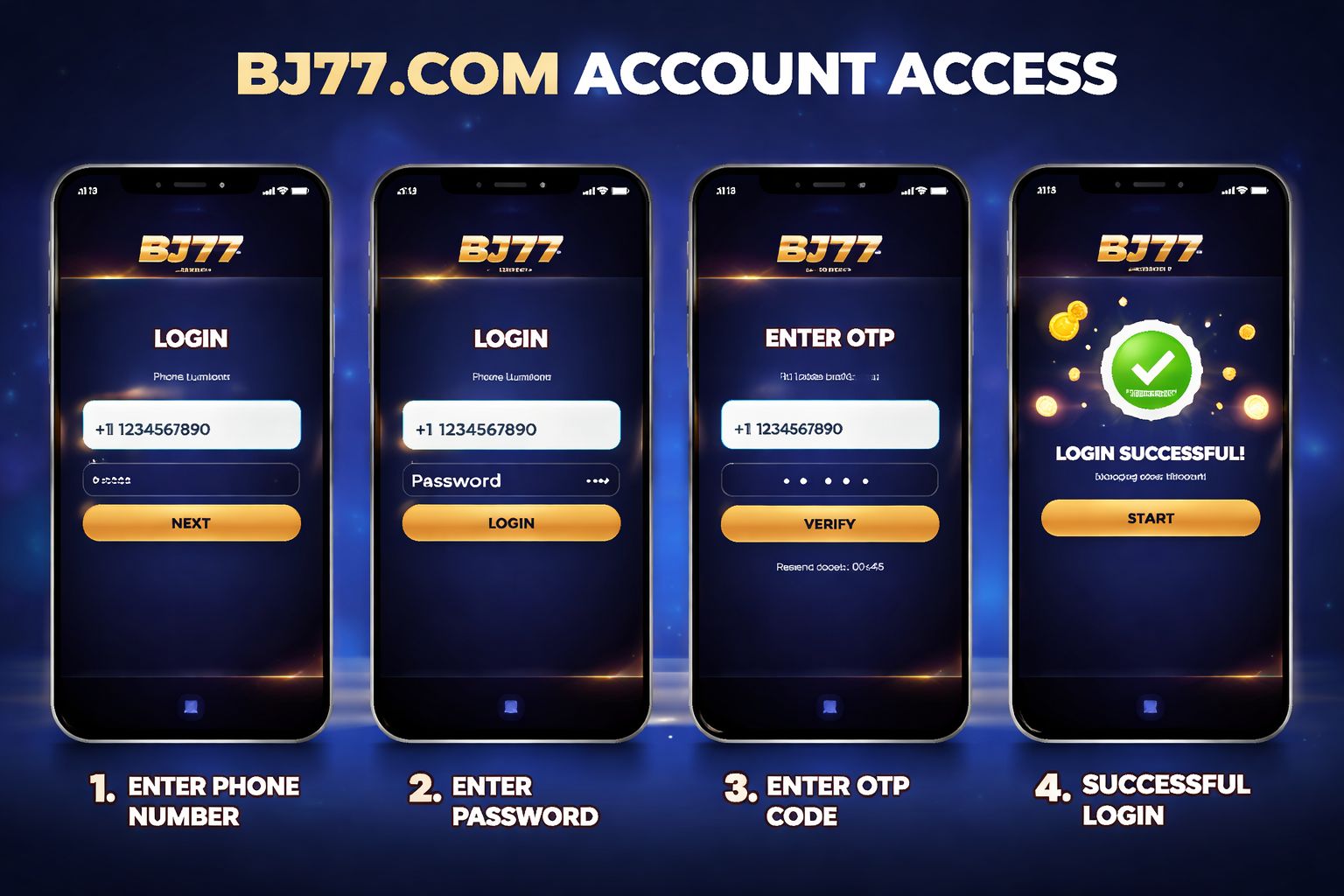
Open BJ77 COM through the site or mobile app and check the top area of the screen for the main Login button. Tap it once and the sign-in panel should appear immediately.
Enter the username, registered phone number, or other credential you created during registration, add your password carefully, then confirm. If the details are correct, the account dashboard loads without extra steps.
Three login methods:
| Method | Requires | Average Speed |
|---|---|---|
| Username + password | Type them in | ~10 sec |
| Phone number + password | Type them in | ~10 sec |
| Biometric (app only) | Fingerprint or Face ID | ~2 sec |
One practical warning many players ignore: if you are using a café computer, office laptop, or a borrowed Android phone, leave the "remember me" box unticked. A few saved seconds are not worth risking your balance.
Already have your details and prefer a faster mobile flow? Open the Android app page, install the official version, and use the cleaner app-based sign-in screen.
📝 Creating a New Account
New to BJ77 COM? Registration is designed for Bangladesh players and usually needs only the basics before you can explore the platform:
- ✅ A Bangladesh mobile number
- ✅ A payment app you actually use (bKash, Nagad, or Rocket)
- ✅ 2 minutes of your time
Step-by-step:
- Hit the Register button from the homepage, header menu, or app welcome screen
- Enter your Bangladesh mobile number — ideally the same number connected to your bKash/Nagad wallet, because matching details can matter during withdrawals
- Set a strong password — combine upper and lower-case letters, numbers, and at least one symbol
- Add your name — use the version that matches your NID or payment profile
- Choose BDT as your currency so deposits, bonuses, and withdrawals display correctly
- Drop a promo code if you have one — this is where a welcome bonus or starter offer may activate
- Verify the OTP sent to your phone via SMS
- Confirm — account is now live
After registration, you can browse the casino lobby, compare popular instant games, or review the slots section before deciding whether to deposit. Taking a look first is sensible.
What you don't need at signup:
- ❌ Email verification (optional, can add later)
- ❌ NID upload (only needed before your first withdrawal)
- ❌ Selfie / KYC (only needed for withdrawals over ৳10,000)
- ❌ Address proof (never asked during signup)
That keeps the entry process lighter than many platforms serving Bangladesh, while still leaving stronger verification available when withdrawals or security checks require it.
🔒 Account Security Tips
Your BJ77 COM profile protects access to your balance, bonuses, betting history, and withdrawal details, so treat the login exactly like a mobile wallet password.
Do:
- ✅ Use a password you do not reuse on Facebook, Gmail, payment apps, or any other casino site
- ✅ Turn on 2FA (two-factor authentication) in settings — SMS or email code on new device logins
- ✅ Use biometric login on the Android app — fingerprint or Face ID adds speed and protection
- ✅ Log out on shared devices — even if the phone belongs to a close friend or relative
- ✅ Check your login history monthly (Settings → Security → Login History)
Don't:
- ❌ Share your login with anyone — not agents, friends, group admins, or supposed helpers
- ❌ Save your password in Chrome/Safari on a public computer
- ❌ Click "reset password" messages you did not request — open bj772.com yourself instead
- ❌ Use public wifi without a VPN for real-money play — hotel, bus, and café networks are often not private
- ❌ Reply to Telegram messages claiming to be "BJ77 COM support" — real help should be reached through official site or app channels
Watch for phishing: if an SMS, email, or social message says BJ77 COM needs urgent login verification, slow down and inspect the address. The safe domain placeholder is bj772.com; extra words, strange spellings, or bonus-style login links should be treated as suspicious.
❓ Password Recovery
Forgot the password? Do not keep guessing until the account locks. Use the recovery tool and reset it properly:
- Tap "Forgot Password" on the login screen
- Enter your registered phone number
- Get an SMS with a 6-digit code
- Enter the code on the site
- Set a new password
- Log in with the new one
The full reset normally takes about 2 minutes. For safety, codes expire after 10 minutes, so complete the process while your phone is beside you.
If you don't get the SMS:
- Check your phone signal (SMS delivery needs cellular)
- Wait 60 seconds and tap "Resend code"
- Try email recovery if you added an email at signup
- Contact live chat as a last resort — they can verify identity via NID and reset manually
If you've lost access to the phone number too:
Contact support with:
- Your registered name
- Approximate signup date
- Last deposit amount + method (bKash/Nagad TRX ID if you have it)
- NID scan for verification
Support will manually check ownership and either restore access or move the account to a new verified phone number. This can take 24–48 hours because balance protection matters more than rushing an account change.
📱 Mobile vs Desktop Login
BJ77 COM works across common devices in Bangladesh, but each login route feels a little different depending on your internet, screen size, and play style:
- Mobile browser (Chrome, Safari):
- ✅ Works on any phone, any OS
- ✅ Nothing to install
- ✅ Full functionality
- ❌ No biometric login
- ❌ Slightly slower than the app on 4G - Android app:
- ✅ Biometric login (fingerprint/Face ID)
- ✅ Push notifications
- ✅ Smoother live streams
- ✅ Faster load between sections
- ❌ Android only (no iOS app)
- ❌ Requires "unknown sources" install permission - Desktop browser:
- ✅ Bigger screen — better for multi-market cricket betting
- ✅ Live streams look good on laptop screens
- ✅ Full functionality
- ❌ No biometric login
- ❌ Can't take phone with you obviously
Most Bangladesh users stay on mobile because it fits daily routines, mobile data, and payment apps. Desktop still makes sense when you want a larger view for live odds, match stats, or several markets open at once.
🛟 Login Support & Help
If BJ77 COM will not let you in, choose the support path that matches the problem instead of repeatedly retrying the same password:
- 1. Live chat — bottom-right corner of any page
- Available 24/7 in English and Bangla
- Response time: usually under 3 minutes
- Best for quick issues (forgot password, OTP not arriving) - 2. Email — [email protected]
- Response time: 4–12 hours
- Best for account issues that need documentation attached
- Attach screenshots to speed up resolution - 3. Telegram support channel
- Only use the official one linked from the site — anything else is fake
- Response time: 10–30 minutes
- Best for general queries, community help
Real BJ77 COM support never asks for your password, full OTP code, or payment wallet PIN. If someone requests those details, end the conversation and report it through the official help channel.
❓ FAQ
Straight answers to common BJ77 COM login, registration, OTP, device access, and account verification questions for Bangladesh players.
Use your Bangladesh phone number, set a password, and verify the OTP. The full signup usually takes about 2 minutes, and documents are not required at the first registration stage.
Yes, up to 2 devices at the same time. If you exceed that, BJ77 COM may trigger a security check and ask for SMS confirmation before allowing more access.
Wait 60 seconds and tap "Resend". Also check mobile signal, switch from wifi to mobile data, and confirm the phone number is typed correctly. If repeated resends fail, contact support.
Yes, when you use the official site or app and protect your credentials. SSL encryption, optional 2FA, app biometric access, and login history tools help reduce account risk.
Yes, but only after verification. Go to Settings → Personal Info → Change Phone Number, then verify the old and new numbers by OTP so the account is not transferred without consent.
No. KYC is generally requested before your first withdrawal over ৳10,000 or when a security review is triggered. Basic signup remains phone number plus password.
Contact support via live chat. They will verify identity, check any remaining balance, refund to the registered payment method if needed, and process deletion within 7 days.
Account locks for 30 minutes after 5 failed attempts. Use "Forgot Password" instead of guessing again, because the reset process lets you regain access with OTP verification.
💭 Final Word
BJ77 COM login is straightforward once you know where each button sits and which details matter. For Bangladesh players, the phone-first setup keeps registration fast without forcing unnecessary forms at the beginning.
If the OTP delays, the password fails, or a device check appears, do not panic. Live chat is usually the quickest fix, especially when you can provide your registered number and a clear screenshot of the issue.
Use a strong password, enable 2FA, avoid unofficial links, and install the BJ77 COM app if you want biometric login on Android. That combination gives you faster access and better everyday protection.